Business Messaging API in New Zealand for AI Agents and Developers
Choose a business messaging API for New Zealand AI agents. Compare channels, delivery receipts, integrations and six-digit short-code setup.

A business messaging API lets your software send customer messages and handle the responses. If you are building an AI agent for New Zealand customers, you need it to send messages itself, read delivery receipts, understand replies and keep the conversation together. Jungle Drum supports that workflow across SMS, RCS, email, chat and voice capabilities.
The video below shows API-initiated SMS for an OTP use case:
What a business messaging API needs to do
An API connects your application to a messaging service. An appointment system can send a reminder; a support agent can ask for a missing detail. In A2P SMS (application-to-person SMS), the application initiates a text to a person. If customers need to reply or switch channels, look beyond the send function when choosing a business SMS service provider.
In an agent workflow, the exchange looks like this:
Your application or agent chooses the recipient and message.
The messaging service sends it through the chosen channel and supplies a status the agent can read.
The customer's reply joins the conversation and gives the agent something to act on.
Treat “accepted for sending,” a delivery receipt and a customer reply as separate signals. If an agent is scheduling a booking, wait for the customer to confirm the time rather than assuming a delivery status means they agreed.
Choose the channel by the task, not by habit
Choose the channel that suits the message and keep the customer's context as the conversation develops. Jungle Drum provides one API and a shared conversation thread across its supported channels, so your agent can work with a response even when the customer changes channels.
Channel | Useful for | Design consideration |
|---|---|---|
SMS | Reminders, operational alerts and verification codes | Keep the text clear and give recipients a sensible way to respond where a reply is needed. |
RCS | Richer customer messaging | Plan what the message should say in plain language before adding richer elements. |
Longer details or information a customer may need to revisit | Do not make a delivery event stand in for an answer. | |
Chat | Back-and-forth support and lead qualification | Carry the customer’s context into the next agent action. |
Voice capabilities | Workflows that need a spoken interaction | Decide how the resulting action becomes visible in the customer conversation. |
For a booking, the agent might ask, “Can you confirm your appointment for Thursday?” It waits for an answer before confirming. With an operational alert, it can read the delivery receipt and treat a customer's reply as a support request.
Build a send, receipt and reply loop your agent can use
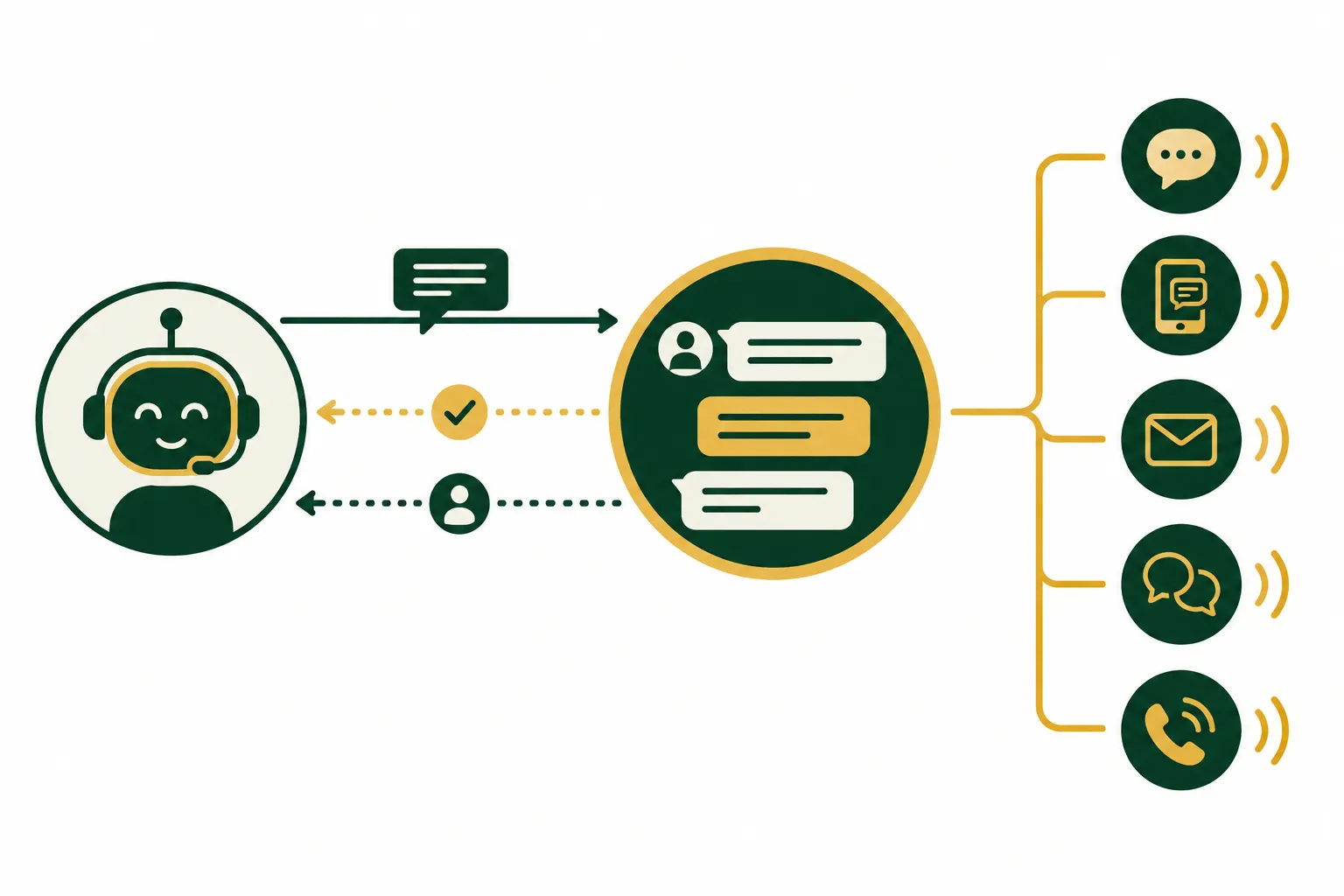
With Jungle Drum, your AI sends the message itself. It can read delivery receipts and customer replies to decide what to do next.
An appointment agent could follow this sequence. The steps describe the workflow rather than an API request schema:
Booking changed -> Agent chooses customer and message -> Send through messaging integration -> Record returned message and conversation context -> Read delivery receipt -> Read customer reply in the same conversation -> Confirm booking, ask a follow-up, or hand off to a person
Keep a stable reference to the booking and conversation so you can match a late reply to the right task. Decide which actions require the customer's answer: a receipt says something about message delivery, but it does not give the agent permission to change an appointment. Give staff a way to take over if the customer asks something the agent cannot resolve safely.
Before the agent sends, define which customer records it can use, what it can say and which actions require a person. Prevent a retried job from sending the same message twice. Give the agent enough context to interpret a short answer without exposing unrelated customer information. Test unclear replies, delivery updates that arrive after a reply, and requests to stop messages.
Treat receipts as events, not final answers
A receipt gives your agent information about a specific message. It can use that signal to update a customer record or flag work for a person, without claiming the recipient understood the content. Even a reply such as “yes” needs conversation context before the agent can confirm anything. The distinction applies to business SMS and multichannel conversations alike.
Pick the integration that matches your stack
Your choice of integration depends on what you already run. Jungle Drum supports MCP, CLI, editor, REST and SMPP paths for AI-native agents and existing messaging systems.
If MCP is your starting point, see how an MCP server connects an agent to SMS.
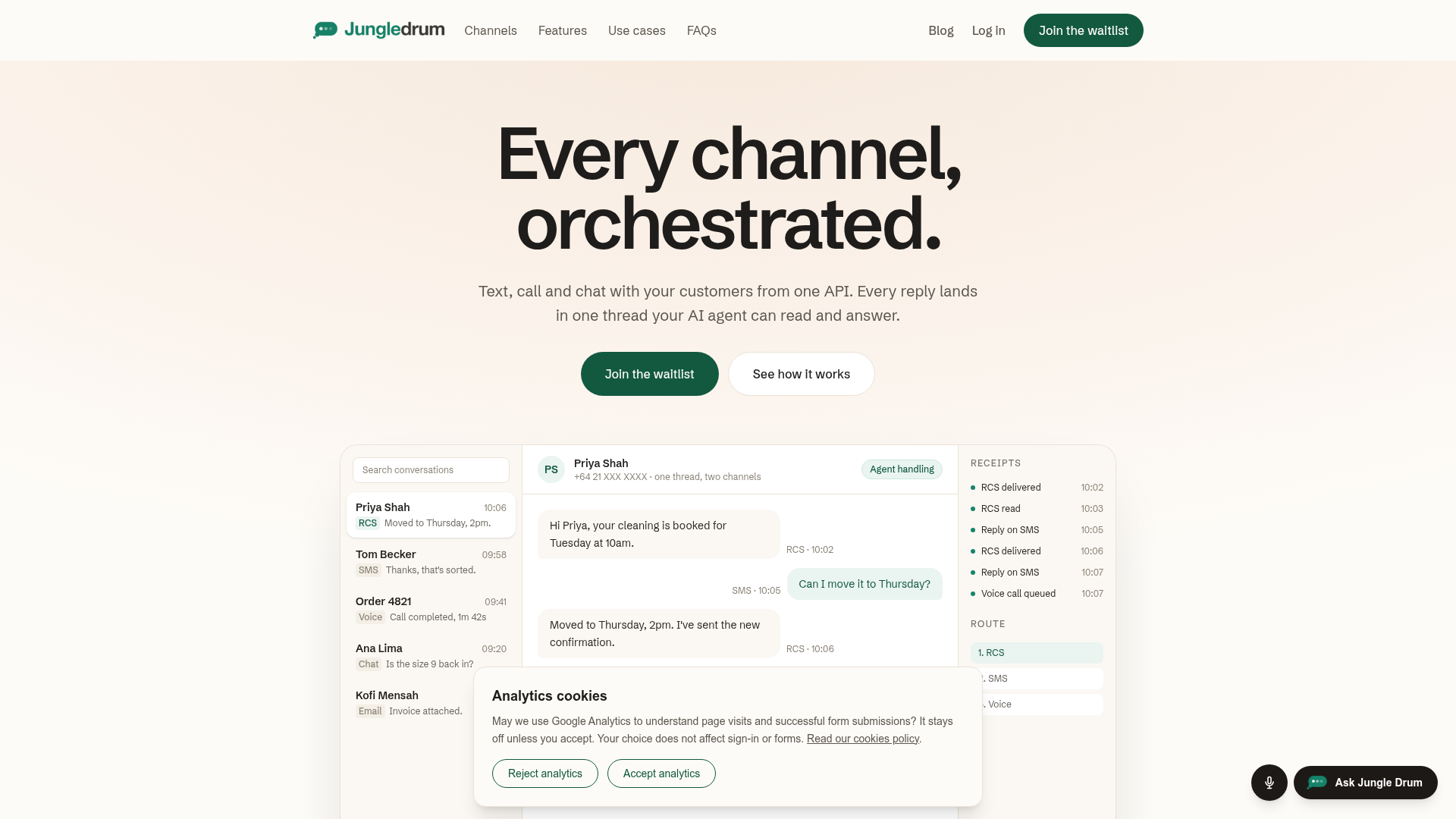
Integration | Best starting point for | What to establish in the workflow |
|---|---|---|
MCP | An agent that uses tools to take actions | When the agent may send and which receipt or reply should affect its next action. |
CLI | Developer-led experiments and operational workflows | How test messages map to the right customer and conversation. |
Editor | Building messaging into an agent while working in a development environment | How a drafted action becomes an authorised send. |
REST | Application code calling a messaging API | How the app stores message context and processes results. |
SMPP | Existing SMS infrastructure | How delivery information and inbound messages reach the rest of the business workflow. |
Pick the interface that fits your existing system. Then trace a message, its receipt and the customer's response through a real use case, paying attention to how each channel behaves.
New Zealand delivery: legitimate routes and six-digit short codes
For A2P SMS in New Zealand, the delivery route belongs on your buying checklist. Jungle Drum uses carrier-grade New Zealand delivery over legitimate routes, never a grey route. When choosing an A2P SMS provider, ask about sender setup and how your team receives delivery information.
New Zealand has recently opened six-digit short codes. Jungle Drum manages the whole process for a dedicated short code. Your team can test the messaging workflow while approval is underway. The short code identifies an SMS sender; your agent still needs to handle receipts and replies.
For the sender setup in more detail, see getting a short code in New Zealand.
New Zealand's Department of Internal Affairs says commercial electronic messages need consent, accurate sender identification and a way to unsubscribe. Put those rules in the messaging workflow so the agent follows them each time.
"The person receiving it must agree to receive your messages." - Department of Internal Affairs
Base your New Zealand launch plan on the sender and use case you intend to use. Another country's registration rules may not apply.
How to choose a business messaging service
The first send is only one part of the job. Ask these questions when comparing business messaging tools and solutions for the rest of the customer exchange:
Question | Why it matters |
|---|---|
Can the agent send directly? | An automated workflow stalls if every outbound message needs manual copying. |
Can it read a receipt and receive the customer's reply? | A send acknowledgment alone cannot drive a conversation. |
Can channels share conversation context? | Support and booking workflows lose information when each channel becomes a separate thread. |
Which integration fits the current system? | A new MCP-based agent and an established SMPP integration have different entry points. |
How is the New Zealand sender process handled? | A dedicated short code needs a managed setup, not an assumption that a test sender is the final sender. |
Are messages sent over legitimate routes? | Route quality should be part of procurement, not a question left until after launch. |
For one-way alerts, a narrower business SMS platform may suffice. An agent that asks customers questions needs to connect its sends, receipts and replies to the same conversation before it acts on an answer.
Put it to work on one customer journey
Start with a workflow whose next step you can define. In customer support, an agent can request an order detail and continue after the reply. An appointment reply can prompt it to confirm a time or offer another. A lead's response can give the sales team useful context. For operational alerts and verification codes, define which signal counts as completion before the agent acts.
Write a concrete first message, then decide how the agent should handle an ambiguous answer or pass the conversation to a person. Walk through the send, receipt and reply together. A successful API call will not show how the agent handles the customer response.
A practical verdict for New Zealand teams
Choose a business messaging API that lets your software act on receipts and replies. Jungle Drum fits an AI agent that needs to send for itself and maintain one conversation across SMS, RCS, email, chat and voice capabilities. It supports MCP, CLI, editor, REST and SMPP integrations and manages dedicated New Zealand six-digit short-code provisioning. Try the full send, receipt and reply loop on one support, booking or operations journey with Jungle Drum.
FAQ
What is an API for a business?
An API lets a business application exchange information with another service. A business messaging API lets the application send customer messages and work with delivery information and replies, so a support or booking workflow can continue after the send.
How to send SMS with API?
Connect your application to a messaging provider, identify the recipient and message, and initiate the send through its supported integration. Keep the returned message context, then process the delivery receipt and any customer reply as separate events. Jungle Drum supports REST for application integrations as well as MCP, CLI, editor and SMPP paths.